
The logbook that keeps itself.
Just drive. Logkeep records every trip, suggests Business or Personal, and you confirm with a swipe.
Free in beta, every feature. Australia only for now.
The first kilometre counts too
Starts where you parked. Not down the street.
Some trackers only start once they notice you're moving. By then you can be down the street, and that first stretch can go missing from your claim. Logkeep knows where you parked and starts the trip there.
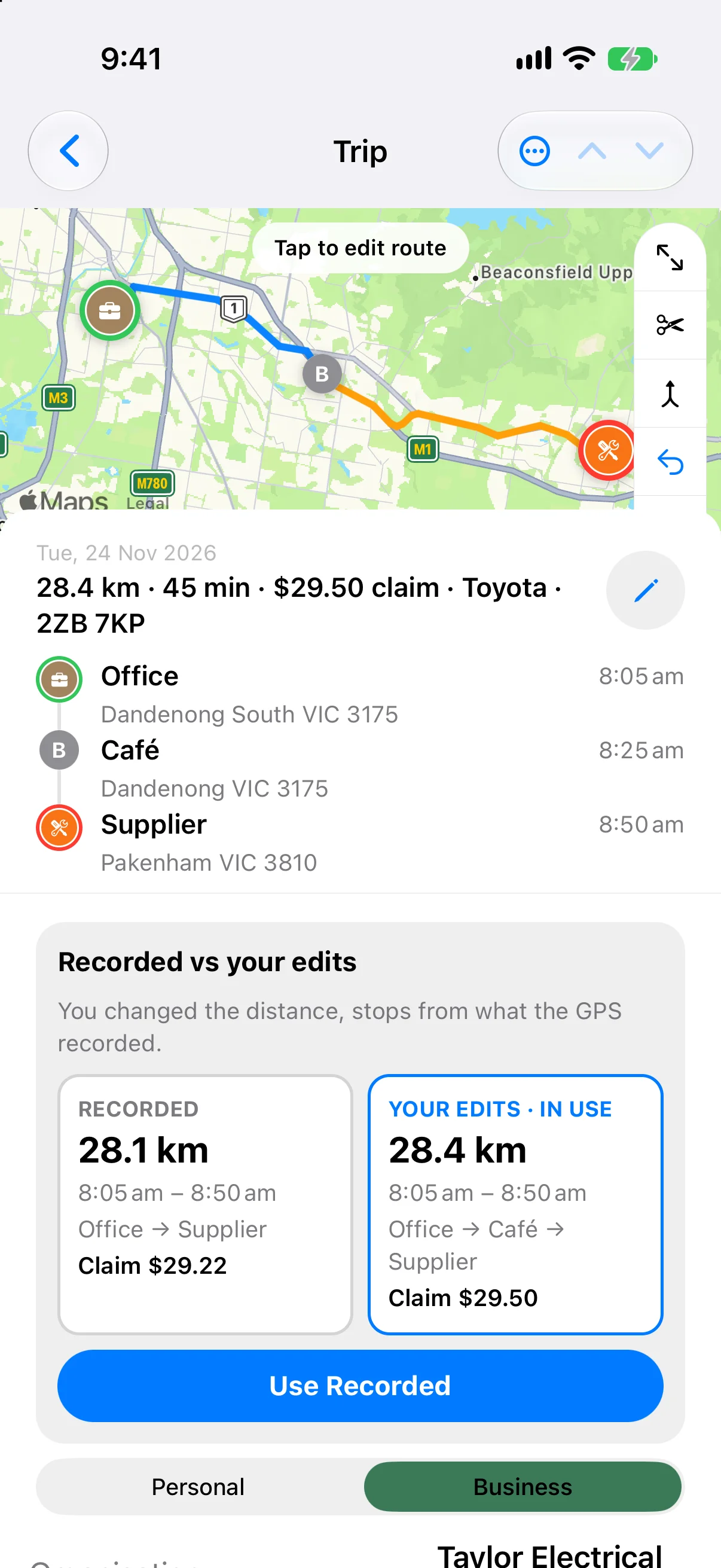
Recorded vs your edits
Self-correcting. You have the final say.
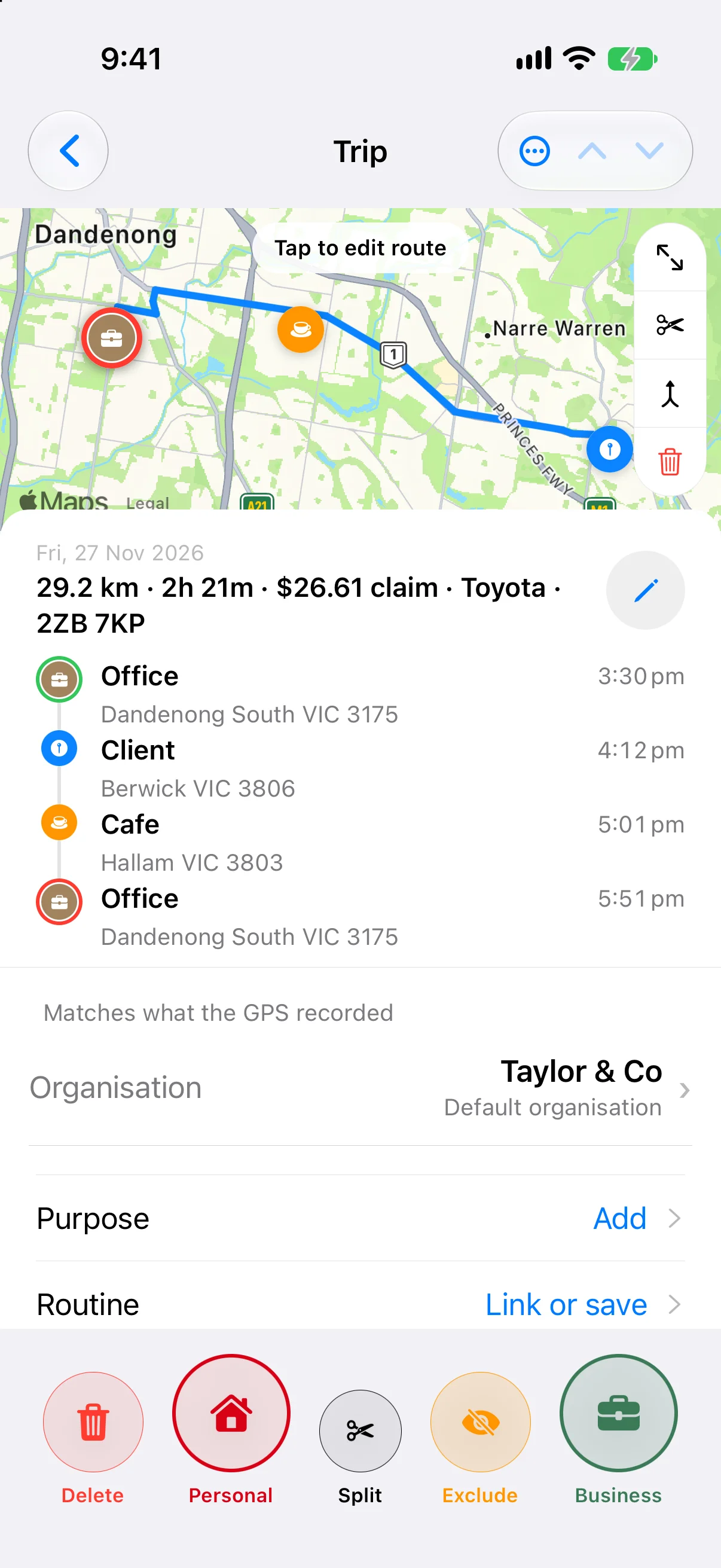
Every trip keeps what the GPS recorded next to the trip as it is now. Logkeep shows you what it changed, and you confirm. Switch back any time.
Drive. Swipe. Sorted.
Three steps. One of them is driving.
1
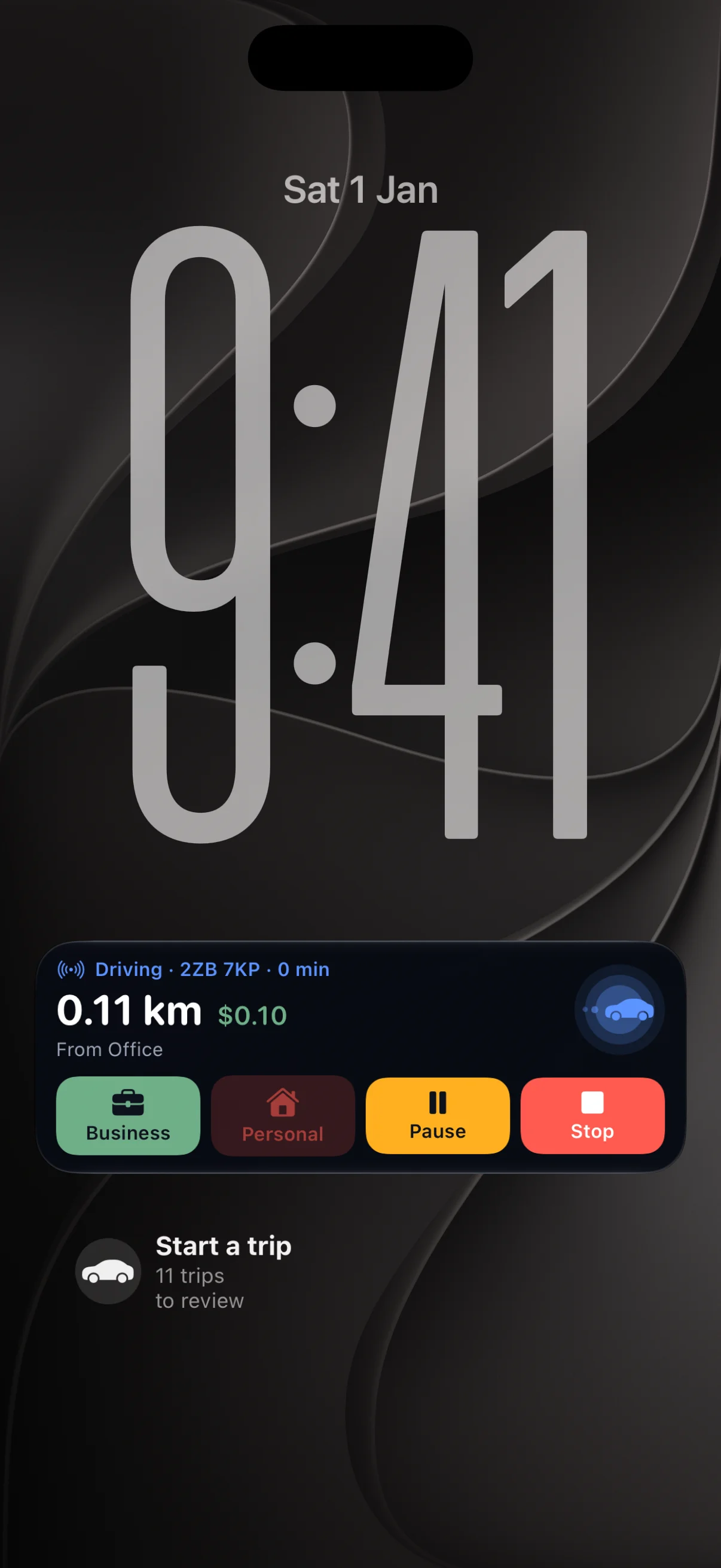
Drive.
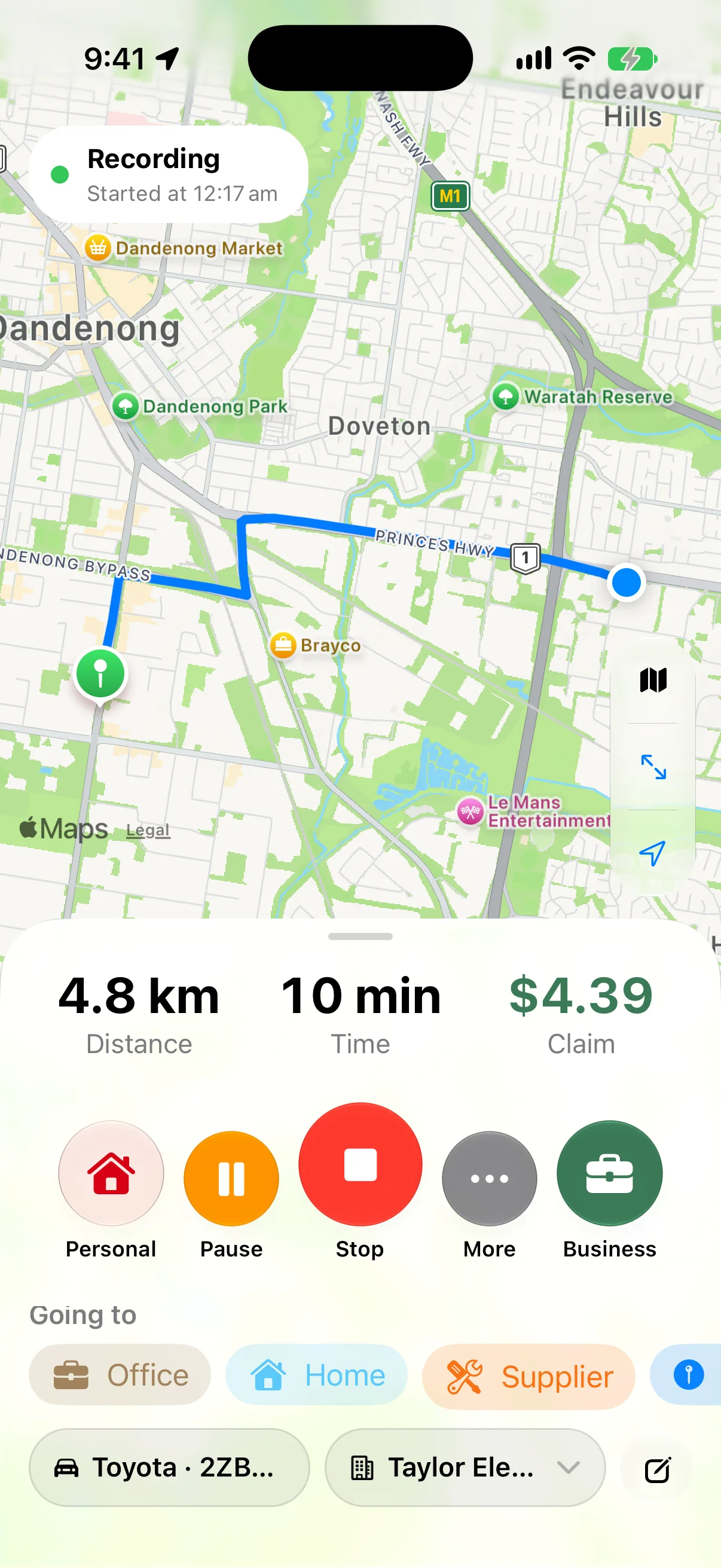
Logkeep starts on its own and shows your trip live on the Lock Screen.
2
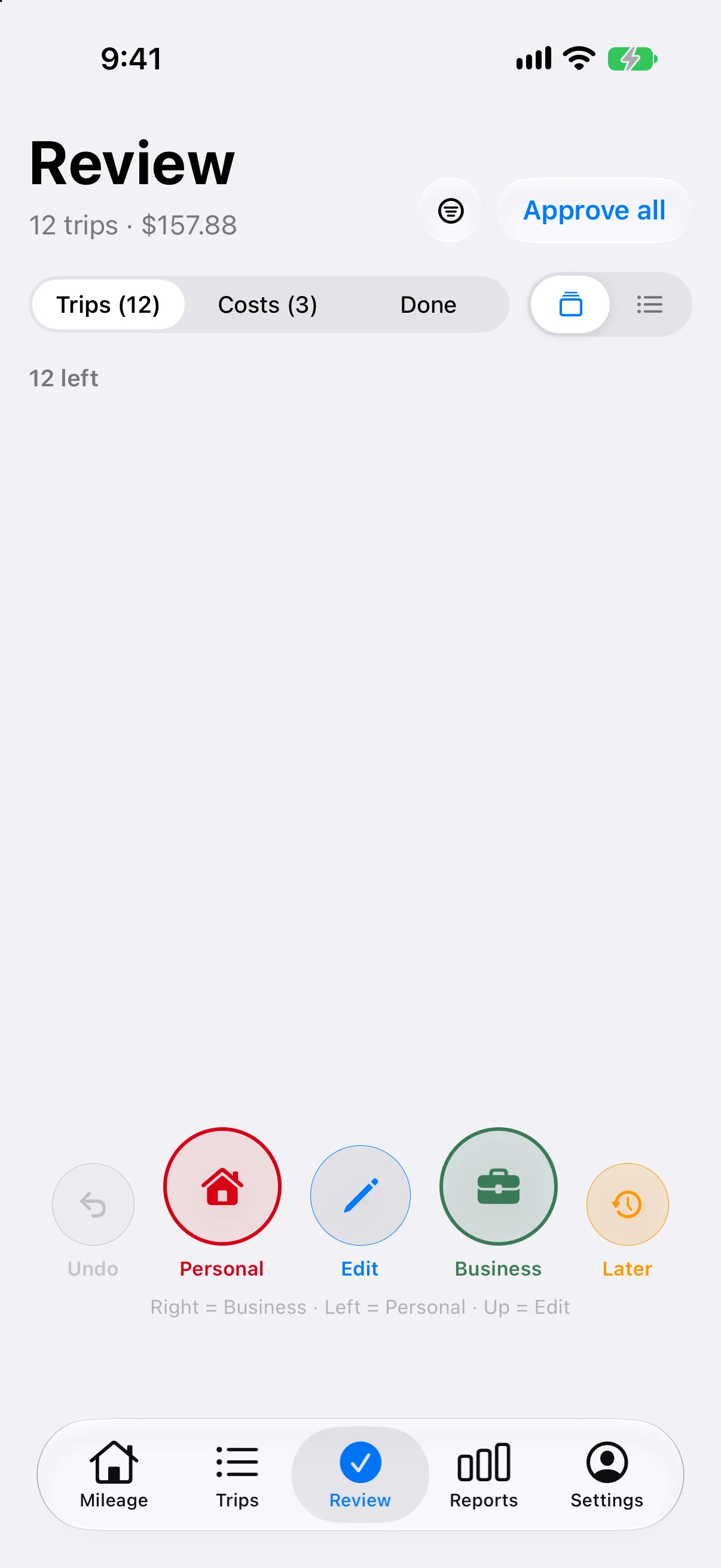
Swipe.
Logkeep suggests Business or Personal. One swipe confirms it.
3
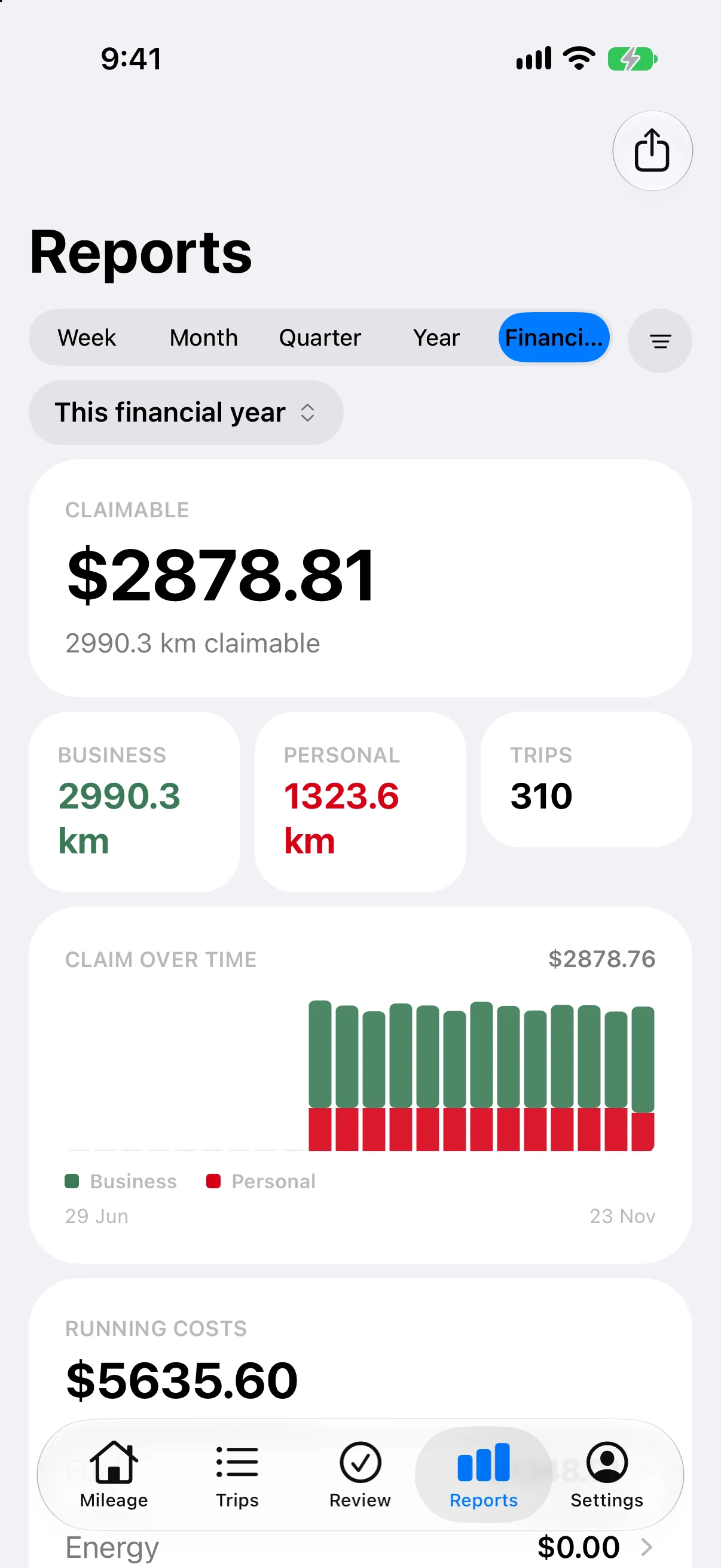
Sorted.
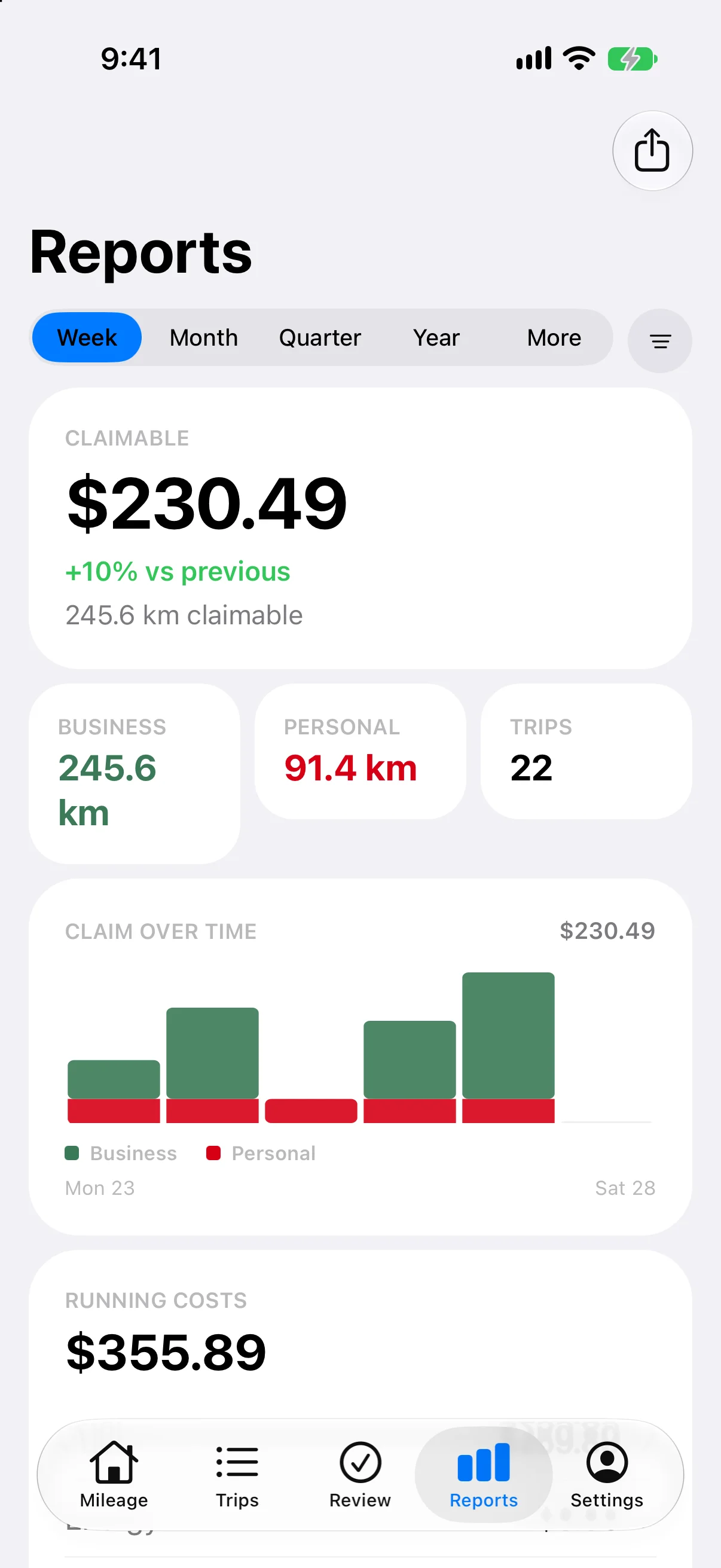
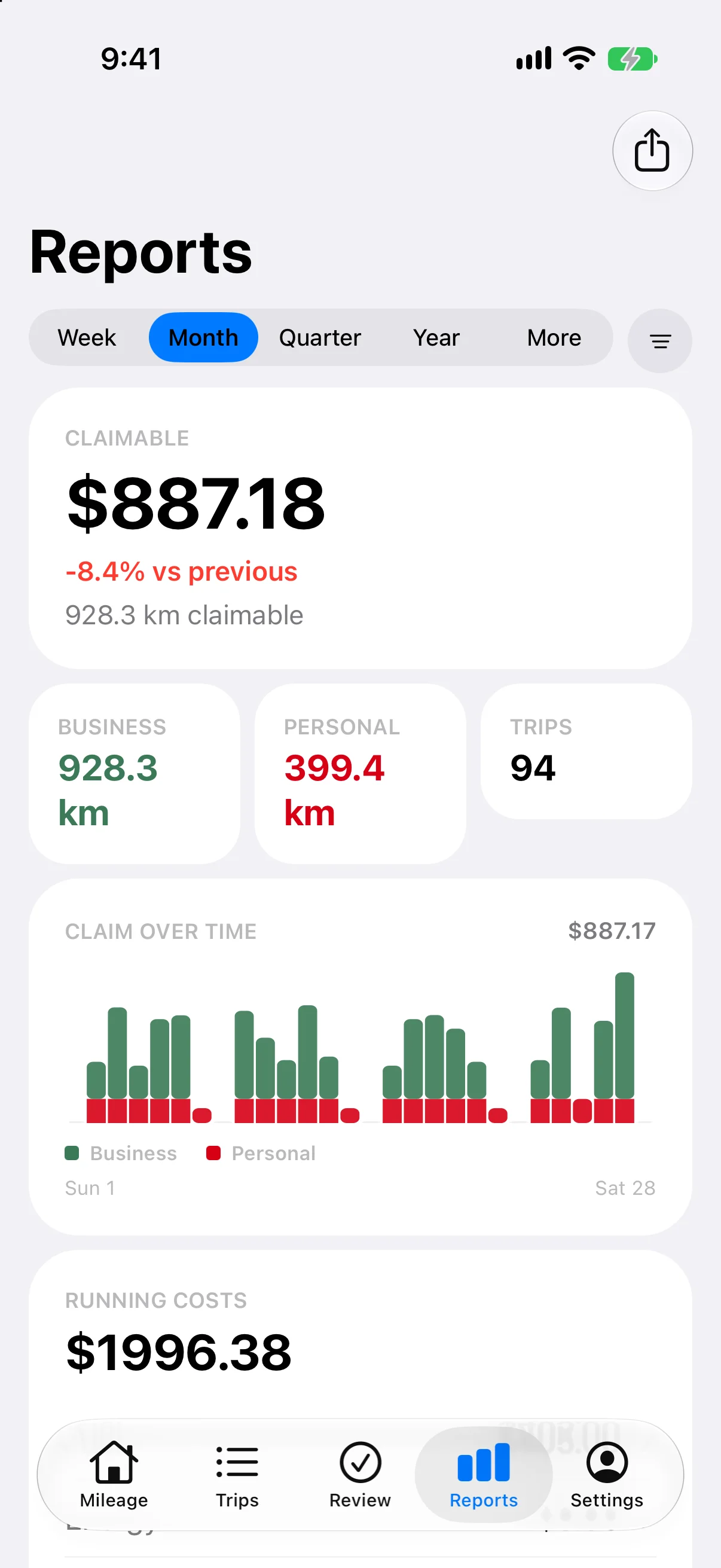
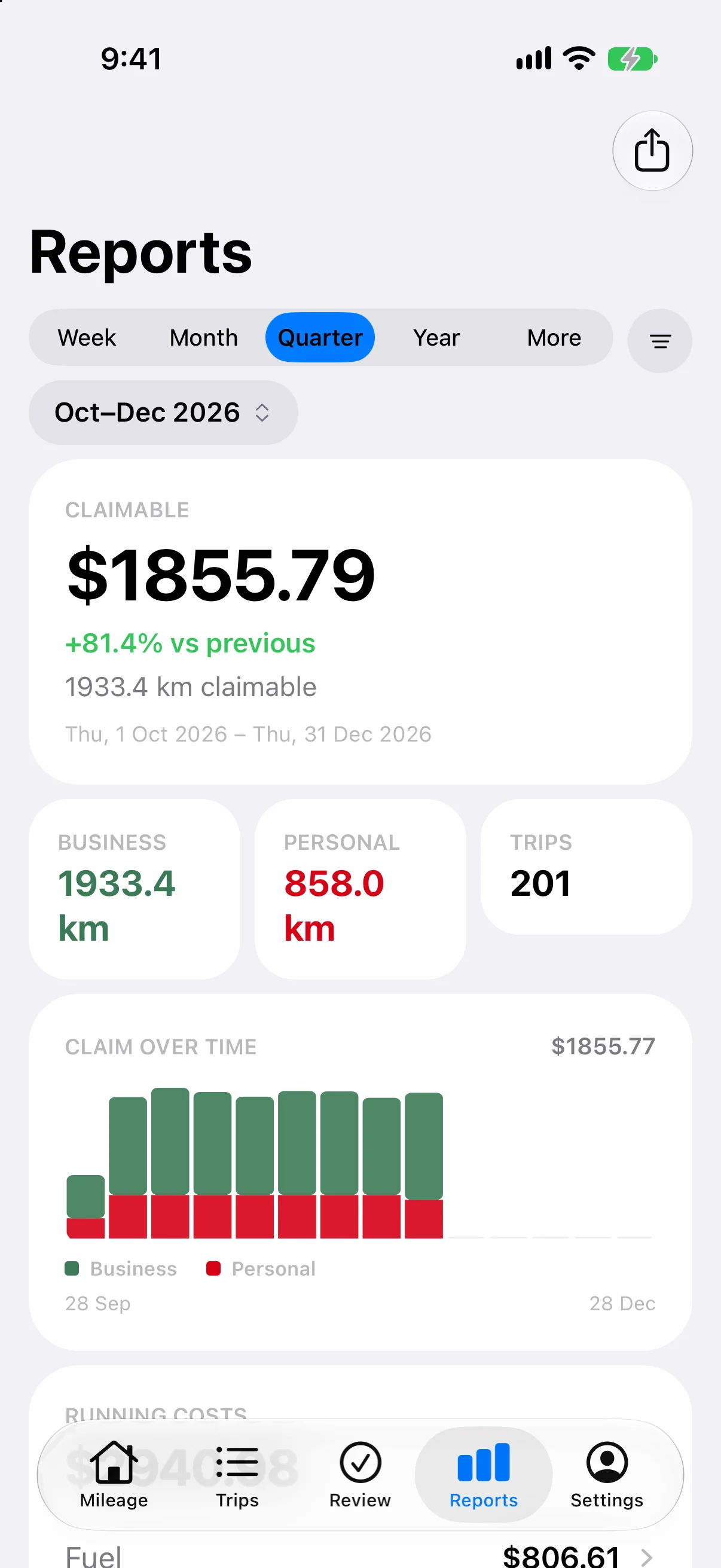
The whole tax year, logged and totalled. Ready when you are.
Get to know Logkeep.
Start the car.
The logbook
starts too.A self-starter. Logkeep notices the drive and records in the background, and shows the trip live on your Lock Screen.
+0.4 km counted from where you parked
Starts at the kerb. Logkeep watches where you parked and starts the trip there. It keeps what the GPS recorded next to your trip, so you can check it.
1 trip.
- Office8:05
- Café8:25
- Client8:50
- Office9:40
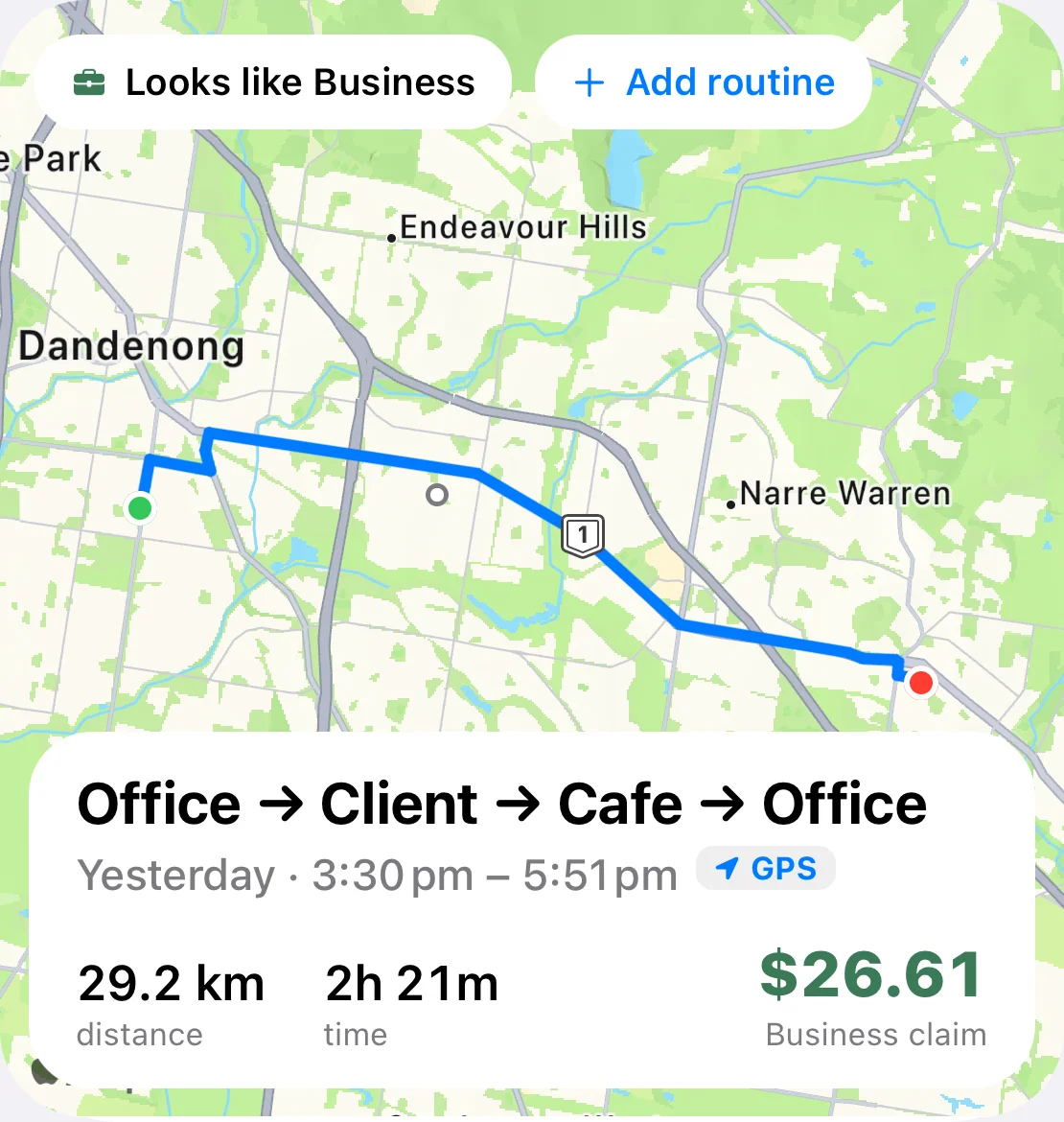
3 stops · 28.4 km · one swipe
Stops for coffee. Keeps going. Quick stops stay inside the trip, so a run with several stops is still one trip to sort.
Office → Client → Office
Today · 30.4 km · $27.66
Business
PersonalBusinessSwipe. Sorted. Right for Business, left for Personal, up to edit. Changed your mind? Undo.
Work car connected now
Trip started. Logkeep is recording.
Knows your car. Pair your car's Bluetooth, or CarPlay on iPhone, and it helps start and end each trip with the car.
FUEL STOP
Unleaded 52.3 L$96.40
Pump 412:41
TOTAL$96.40
Fuel · $96.40
Every cost, accounted for. Fuel, charging, tolls, parking and servicing, with receipts, in the same app as your trips.
This financial year
$2,878.81
claimable · 2,990.3 business km
PDFExcelCSVReady when tax time is. Your logbook and claim for the financial year, as PDF, Excel or CSV. With Pro.
Goes the extra kilometre.
Here's how. On the left, the usual way. On the right, Logkeep.
Four stops. Still one trip.
5 trips to sort
1 trip, 1 swipe
Every cost. One place.
Fuel receipt
Glovebox
Toll invoice
Parking
Another app
Service invoice
A drawer
4 places to chase
Work car
- Fuel
- Tolls
- Parking
- Servicing
1 app at tax time
Illustrative example with sample places.
Take a closer look.
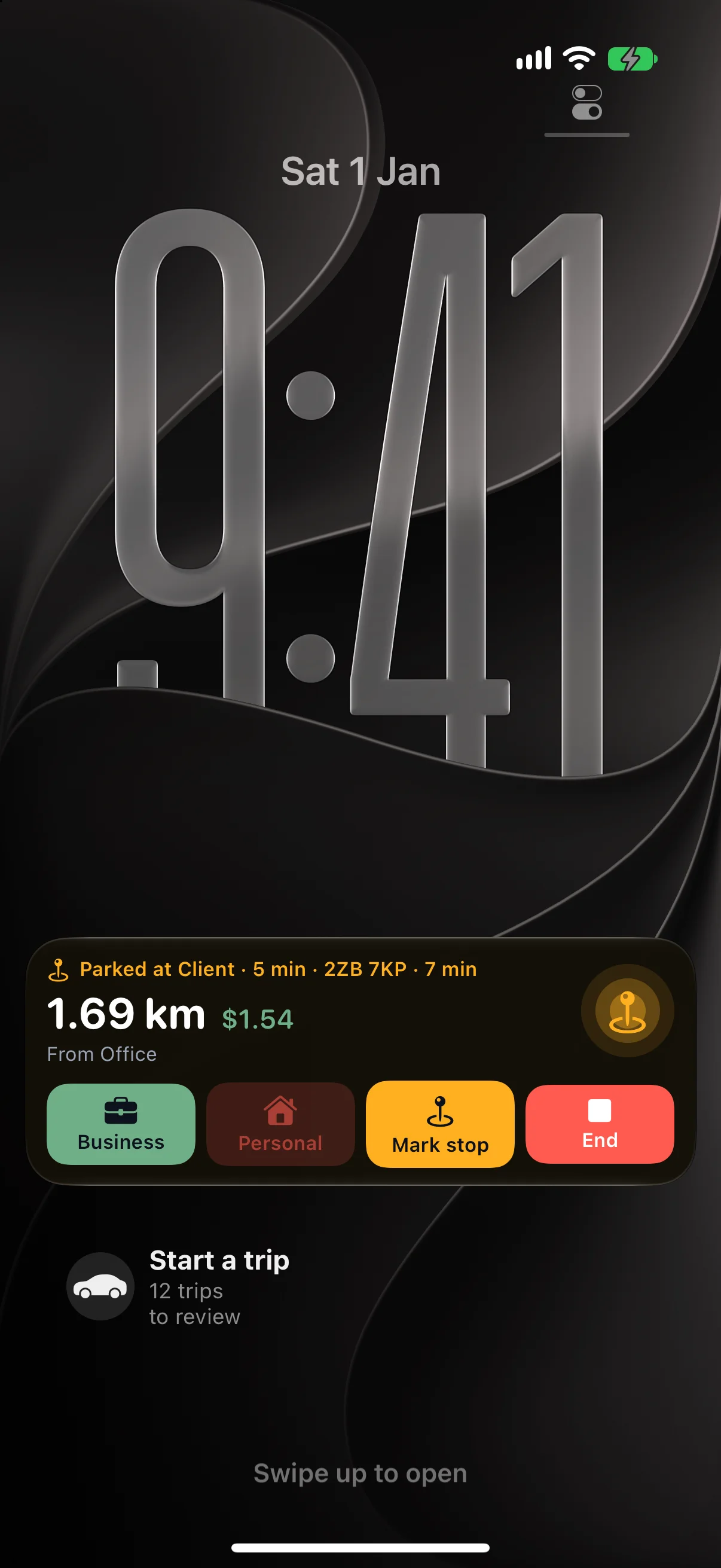
Parked mid-trip? Resume or end it from the Lock Screen.
Sample data.
Set and forget
Your logbook, on autopilot.
Set these up once. Logkeep takes it from there.
- Merge suggestionsMerge for meWith undo
Logkeep Merge. ExperimentalA quick coffee can split one drive into two. Logkeep Merge spots it and offers to join them, or merges them for you, with undo. It starts with your Personal trips.
- Office → Bank → OfficePurposeBanking
Same run. Done once. Save a regular drive as a routine. Next time you drive it, Logkeep offers it, and one tap fills in the purpose, notes and places.
- Head officeBusinessAlways use this purpose
Tell it once. Save a place and tell Logkeep what it means. Choose "Always use this purpose for this place" and Logkeep suggests it from then on.
- Work hoursMon–Fri, 7–5Holiday mode
Clocks off when you do. Set your work hours and turn on Holiday mode when you're away. You choose when Logkeep records.
Switching lanes? Bring your trips.
Import from Driversnote, MileIQ, Everlance or a spreadsheet saved as CSV. Export from your old app, pick the file in Logkeep, and check the preview.
Why I built Logkeep
I tried a lot of logbook and mileage apps. Each one did something I liked. None of them did all of it.
So I built Logkeep by bringing the features I liked into one app. Then I worked through every step to make keeping a logbook as easy as possible.
It records your drives on its own, learns the routes you repeat, and keeps every car cost with the trip it belongs to. Your part is a quick review.
Logkeep is in beta now. If something gets in your way, email support@getlogkeep.com. Your feedback shapes what comes next.
Trevin, founder
Take Logkeep for a spin.
Free in beta on iPhone and Android, for anyone in Australia. Every feature unlocked.
iPhone
Through Apple's free TestFlight app.
Get the iPhone betaAndroid
From Google Play. Android 7 or newer.
Get the Android beta
Needs iOS 16.4 or newer, or Android 7 or newer. Things may break, and beta data may be reset before launch. How the beta works